Vikky Platform
All your AI.One place.
Capabilities
One place foreverything AI.
Vikky is where VSP's AI sits: one account, one key and one console, whatever kind of work the model is doing. What your own account can call is listed in the console.
Conversation, and JSON shaped so an application can parse the answer instead of reading it.
Images and text in the same request, for anything that has to look at a photo, a frame or a screen.
Spoken input turned into text, and text turned into audio, for voice-led products.
Long files read end to end and returned as fields a system downstream can use.
Vectors behind search, ranking, clustering and retrieval over your own material.
Tool calls and multi-step runs, where the model does work rather than answering once.
Text and named questions in; a probability, a score on your scale or a label out, never prose.
How it works
Your code talksto one address.
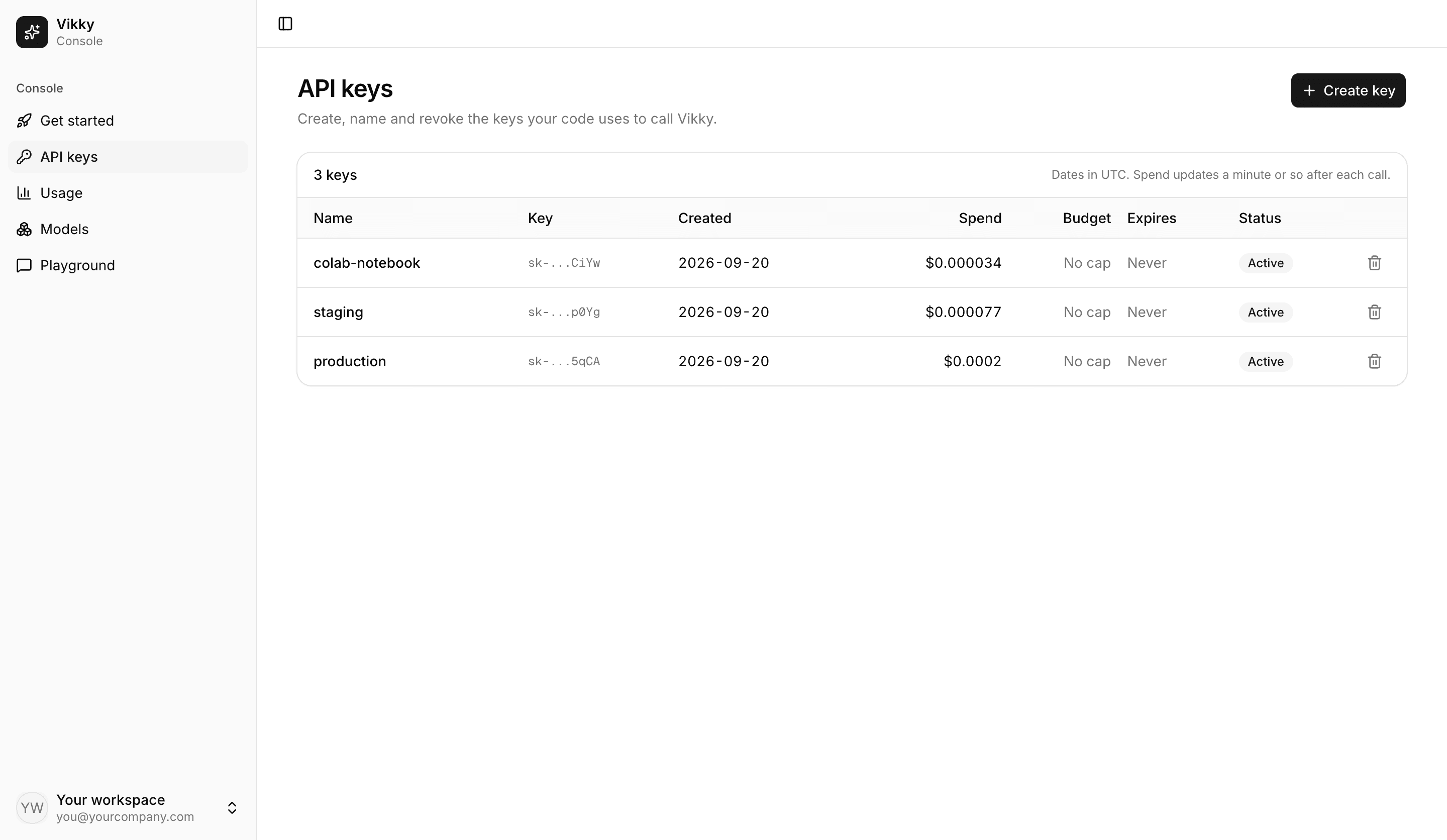
One key carries your budget and your rate limit. The console is where you create keys and watch what they spend; your code never has to know which model runs behind a Vikky name.
Included
An API, and thecontrols around it.
- One address for all of it
- Chat, vision, speech, documents, embeddings, agents and Jev decisions answer at the same address, with the same key.
- One key, with a budget and a rate limit
- A key carries a budget in USD and a rate limit, and its spend, requests and errors show up in the console by key, by model and by day.
- Models can change underneath
- You call a Vikky name. What runs behind it can change without a change to your code.
- A browser playground
- Try a Vikky model without writing code, on the same account budget.
- Python SDK
- A Python package that reads your key from the environment and runs in Colab and Jupyter, with streaming and async included.
The console
Keys, budgetsand usage.
Keys, budgets and usage are visible to the people who own them, in a console that ships with the platform.
Questions
Questions peopleask first.
- How do I get access?
- Sign up with an email and password, or with Google. A new account starts pending, so a key you create cannot call anything yet. An admin approves the account and sets its budget, rate limit and models.
- What does it cost?
- Billing is not live yet. Each account has a budget in USD that an admin sets, and calls stop once it runs out. Per-model prices per million tokens are listed in the console.
- How do I connect my app?
- Sign in to the console and create a key. The console shows the address to call, the models your account can use, and how to make a first request.
- Which languages can I use?
- Anything that can make an HTTP request. There is a Python package today, and the console shows how to use it.